
How to Reset B8056 Power-On Hours
This article explains how to reset the Power-On Hours (POH) counter on the B8056 platform. The POH value can be cleared from a Linux host by running a wrapper script that issues the underlying ipmitool command to the BMC.
Overview
The B8056 Power-On Hours counter can be reset using a Linux shell script that calls ipmitool under the hood. This is useful after board swaps, burn-in testing, or any scenario where the accumulated POH value needs to be cleared before the system ships or re-enters service.
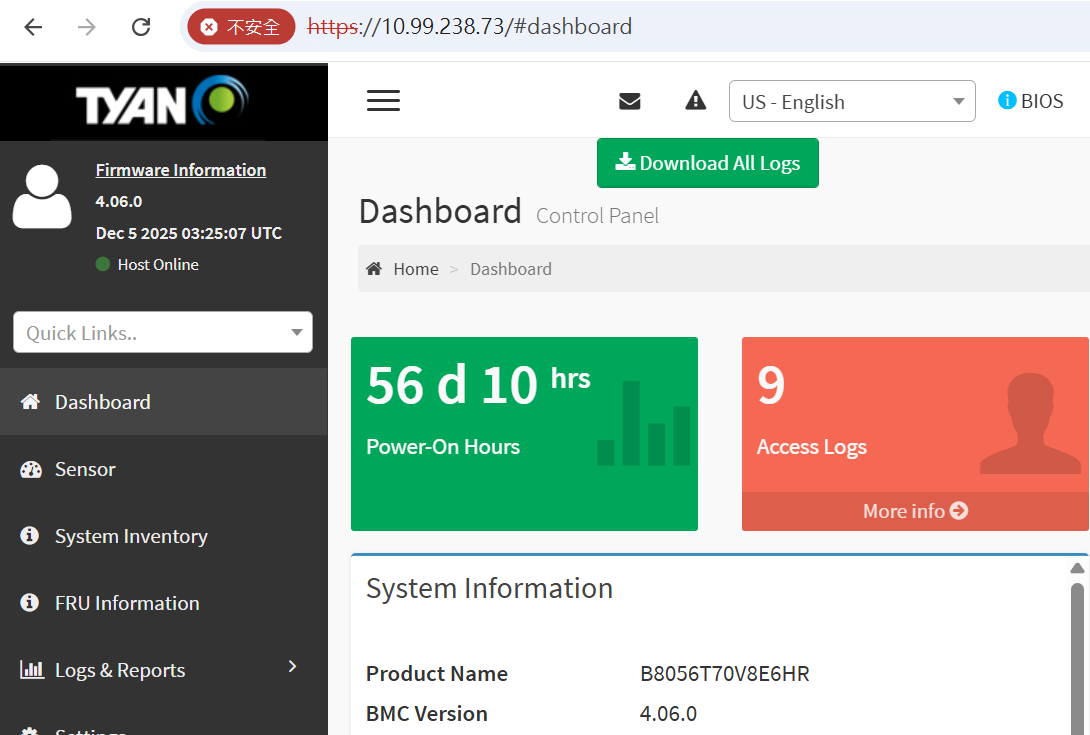
Prerequisites
| Item | Requirement |
|---|---|
| Tool | 8056_clear_poh.sh script (wraps ipmitool) |
| Network access | Reachable BMC IP address |
| Credentials | Valid BMC username and password |
| Environment | Linux host with ipmitool installed |
Steps
Command
Run the script from a Linux environment, passing the BMC username, BMC password, and BMC IP address as arguments:
./8056_clear_poh.sh {BMC_username} {BMC_password} {BMC_IP_Address}
Replace {BMC_username}, {BMC_password}, and {BMC_IP_Address} with the actual values for your target system.
Example
$ ./8056_clear_poh.sh root tyan@123 10.99.238.73
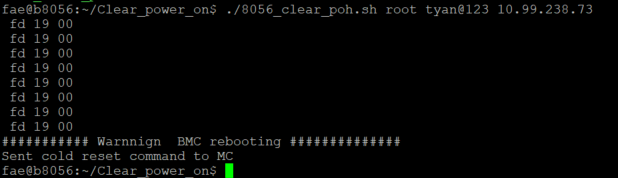
Result
Once the script completes, the Power-On Hours counter is cleared and reads back as reset.
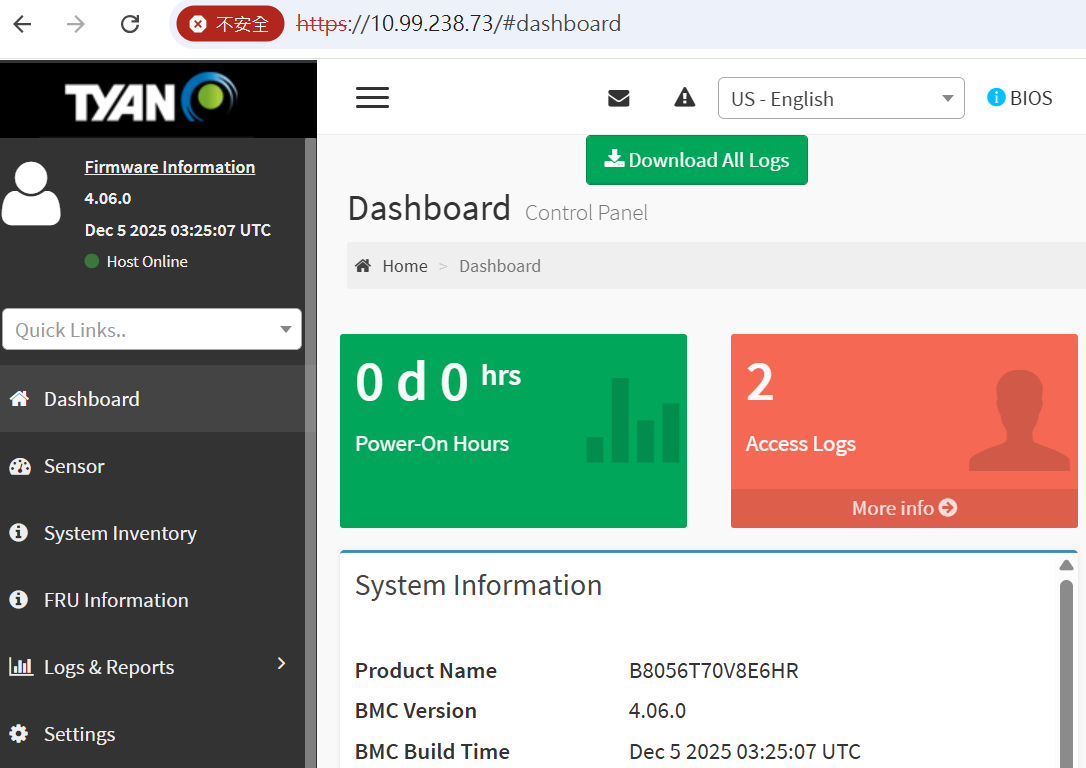
After Reset
Confirm the POH value from the BMC web GUI or via ipmitool to make sure it reads zero (or the expected baseline) before returning the system to service.
Note: This operation only clears the accumulated Power-On Hours counter — it does not affect BMC network settings, user accounts, or other sensor logs.