
How Can I Set System Fan Running at Full Speed in G4520G6?
This option (Full Speed) is not available on the G4520G6 system. The only thing you can do is set the BIOS to run in Acoustic Mode or Performance Mode.
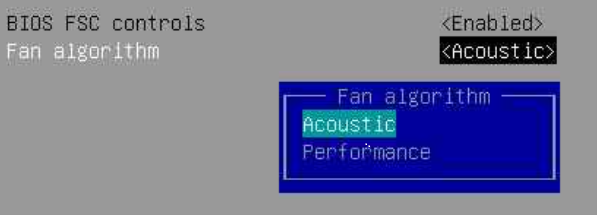
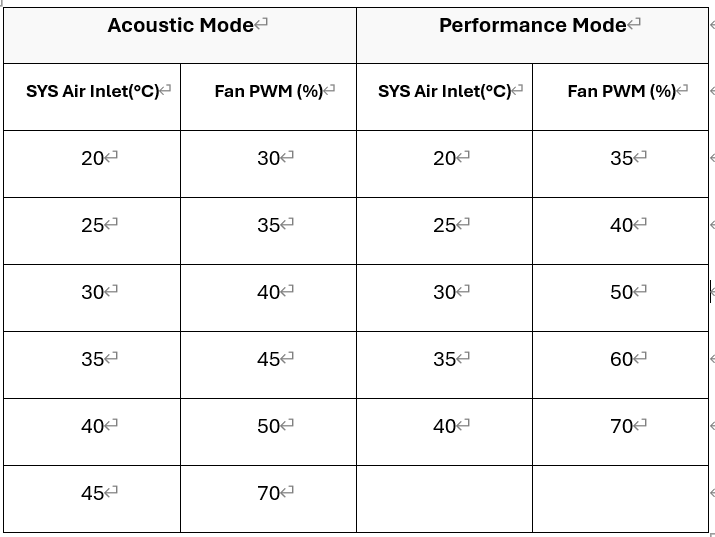
The only difference between Acoustic Mode and Performance Mode is the SYS Air Inlet fan startup setting. Please refer to the table below for details:
Note:
- Performance: Prioritizes cooling (lower temperature, faster fan speed, louder noise).
- Acoustic: Prioritizes quietness (slower fan speed, slightly higher temperature, quieter noise).
- “SYS Air Inlet” refers to the temperature (°C) at which the fan PWM changes.
- In Performance Mode, the fan starts at higher speeds at the same temperature, improving cooling performance.
If you have any further questions, please open a ticket for more information.